Pages

Subscribe:

Search This Blog

Showing posts with label Math. Show all posts

Tuesday, October 21, 2014

MA 10.12 Uses area to calculate construction costs in Minecraft.

Welcome to the first post in the Minecraft Educational series. In Minecraft you can build any sort of imaginable structures, artwork and even mechanical devices. Because of this I figured it would practical to use Minecraft as the platform for calculating construction costs using math. Of course in Minecraft there isn't really a "currency" system developed, so we'll just be calculating how many of each block we'll need to complete this task.

Lets go straight into the activity and start building:

  1. So for this mode you'll be wanting to use creative mode(click through the tabs to change mode), so create a game
  2. Next open it up for local network play:
  3. Now split everyone up into groups of four or five. Now everyone should join your local server by going into multi-player then your local game should pop up on the local network, just double click and join, bam, you're in
  4. Now once you're in the game you'll all want to lay out an area to build your buildings, should take around five minutes.( maybe suggest building a small town and have the students build different parts of the town )
  5. Each group should make one building, the building need to be 200sqft(you can find info on sqft here:link), and you must lay out the construction materials, 
  6. Make sure to compile a list before you make the building, so that you can get exactly what you need, however you'll only be able to get resources once and no more. So if you run out you run out and have to redesign your building to fit according. The team who doesn't run out of building supplies and completes their house the fastest wins the game.
Make sure to turn in your housing calculations so that you can get credit for the task. I hope you enjoyed this and if you'd like to comment please do so below or email me at cymeks.hun@gmail.com

MA 10.3 calculates net pay vs gross pay in gaming

Today we'll be working on calculating net pay vs gross pay, you may have found that your students have issues understanding the relevance of this topic to their current life. I believe I have a fun solution by using World of Tanks(WoT) as an example to aid in the understanding of how to calculate gross pay vs net pay. Why? Well lets start with the basics of calculating net pay vs gross pay. Gross pay is the entirety of your monthly/yearly income, whereas net pay is your "take-home pay." Essentially saying that not everything you earn, do you get to keep. 

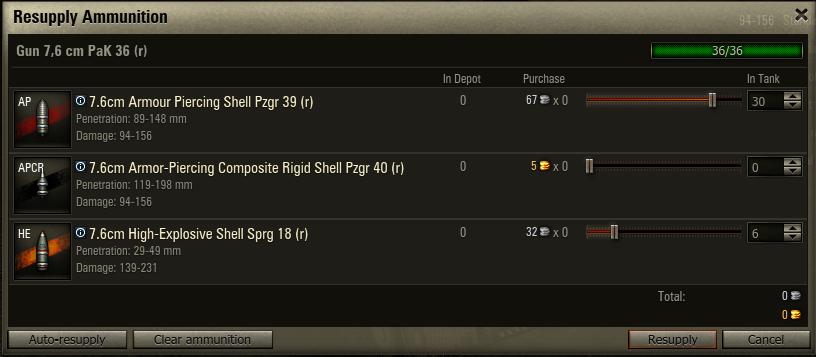
But how does this relate to WoT? Well in WoT each time you play a game you'll be spending your money(silver) each time you fire your gun or take damage. For example this was one of games in a T7 American Heavy the T29:

I've marked my gross pay of silver top left hand corner, then the deductions from repairs, ammo replacement and then resupply of equipment, it's then left with my net pay being 28,694 out of 56,898 silver. Which is what I can use Making this a very visible calculation of gross pay vs net pay.
Student Activity:
Testing the Waters

  1. To start the activity you'll want to log into WoT, 
  2. Once logged in choose any tank and enable auto repair and auto resupply, and begin  a game.
  3. so play the game normally, when you've finished the game pull up your detailed report:
    1. should look something like this:
    2. Make note of:
      1. Recieved credits
      2. Auto repair vehicle
      3. Auto resupply ammo
      4. auto resupply  consumables
      5. Total
    3. once you've done this go into your ammo settings and use APCR or HEAT shells(indepth guide found here: link)
    4. Now once you've changed your ammo to premium rounds repeat another game and repeat step 3 and it's sub steps. Be sure to make note of this
    5. Now I want you to take your noted silver gains and deductions and mark which ones are your gross pay and net pay. That's it, calculating gross pay vs net pay isn't a very hard thing now is it?
Hopefully you enjoyed this lesson and if you have any comments, suggestion just post below in the comments section or email them to me at cymeks.hun@gmail.com.

Wednesday, October 15, 2014

Minecraft Educational Simulation installation and about guide.

Welcome to the first of many Minecraft educational simulations. The goal of these simulations is to give you, the teacher, a set challenges in Minecraft for your students to compete in and learn through participating in these challenges. The challenges are designed to educate through examples and student reflection, they will be hard, and will require complex problem solving that will satisfying various areas of science, complex problem solving and mathematical skills. Some good examples of the challenges will be: survival with limited food supply, semi-complex( to the best of my abilities, heh) puzzle solving using math and pattern recognition, building challenges(building in certain ways, and certain must have features).
                The setup of the simulations will be easy, all you'll have to do is download the Minecraft Simulation file from here(link), next you'll need to place that file into your Minecraft saves folder.

  1. For windows:
    1. To locate the saves folder go to start
    2. then in the search box located at the bottom of the start menu type: "run"
    3. A new window should pull up called run
      1. seen here:
    4. type in the highlighted "%appdata%" ass seen above and hit "ok".
    5. a folder will open up with several more folders
    6. You'll want to go through the folders and find a folder called ".minecraft"
      1. seen here: 
      2. Open up this folder
      3. Once there you'll find minecrafts source files and important stuff, find the folder named saves and drag the downloaded folder into saves and BAM you're done. 
  2. for mac(once again I have a PC so lol, this should be interesting in fact I'll just link a nice well done guide for you
    1. Link
And bam you're done with installing, now you can enjoy the actually fruit of the simulation I made. As always  your friendly internet educational gamer Palacia signing out.


Thursday, October 9, 2014

World of tanks A guide for teachers.

A guide for teachers.
Welcome to another gaming review/teacher-tutorial on the game World of Tanks(WoT) developed by Wargamming inc. Wargaming has three different vehicle based warfare game, World of planes, World of tanks, and World of Warships. Thankfully all of these games are completely free, and can simply be downloaded and played. However, Today, however, we’ll just be focusing on World of Tanks(WoT), which is a pre-21st century tank warfare game. Using historically accurate tanks like the Tiger I, and King Tiger.There are a total of seven different nation each with unique tanks to play, all tanks fit into five different categories: Heavy Tanks, Medium Tanks, Light tanks, tank destroyers, and SPG(Self-propelled Guns, also known as arties or clickers).  You can then engage in tank vs tank warfare in 15 vs 15 matches on various maps. The goal of each match is to either capture(cap) the enemies base or destroy all of their tanks.
How well has the game stood up in the gaming community? Fairly well, it was released around 2010, and really hasn't lost any support from the players. It’s being played on a competitive level, and the Wargaming has received several top notch gaming medals for the game.
The actual game-play of WoT is quite complex, a video of high level game play can be found here. This game-play is of the highest tiered vehicles: T10. There are ten tiers in WoT, allowing tanks throughout history to be broken up into fare levels of play. An example of this is the mighty Tiger I, which you may have heard that during WWII it was able to one shot m4 Sherman's and T-34s 1000 meters away. Which is where it earned it fame. However, in WoT Tiger I’s are placed with similar leveled tanks(I.E they all have fairly equal damage, armor and health) making it so the tiger I can’t one shot tanks. In fact let me show you WoT’s German tank line:
As you can see the tech tree is massive containing almost all of germany's tanks, even experimental and theoretical. If you look closely you can see the Tiger 1, a tier seven heavy tank. Thanks to WoT's game placements the tank gets put into t7(tier “x”) and up matches effectively separating it from lesser tanks like the t4 Panzer.III.
So how can you use this to educate your students? Well I’ll give three examples, but mind you there are a lot more out there.
  • Example 1: High level Algebra and geometry: this Video explains it even better
  • example 2: Ever had trouble with students understanding why scientific names exits? tank tree's e and many fold of tanks are a great example as to why specific names are required.
  • example 3: what's a better way to explain physics to students then through a game that uses advanced physics to blow things up? Hint…. there isn’t. Anyway in WoT theres an advanced physics system for shell penetration, shell drop, ramming, and jumping( yes you can jump tanks).
So we've talked about the pros for WoT in education, but what about the cons? Well there are, sadly, a few cons to discuss.
  • Problem one: Getting your school to allow you to use this fantastic game?
    • This is indeed a big problem and one that I’m not entire positive with. But I’m pretty sure that if you can link your standards to the game, which I’ve already done in my handy dandy standard specific guides. You may convince them to let you use  it.
  • Problem two: Not understanding how to use the game?
    • this is a good concern, but have no fear… Because I’M BAT… nah but I have created some really hand guides that help guide you through using the game in your classroom including an installation and first day in WoT guide found here and here(WIP, heh).
  • Problem three:ha there isn't one
As always the infamous and semi-professional paladin of education gaming: Palacia signing off, hope you enjoyed the guide and email me at cymeks.hun@gmail.com if you need anything at all.


.